MacBook Battery Replacement: What It Costs and How It Works
Battery life keeps shrinking, macOS says "Service Recommended", or the case is bulging? This guide explains how to recognise a failing MacBook battery, what the replacement costs, how long it takes – and why battery replacements often swap far more than necessary.
What a battery replacement costs – and all other prices: MacBook Repair Cost 2026.
Swollen battery? Act now
If the case is bulging or the trackpad sticks, the battery is swollen. Power the device off, disconnect the charger, do not recharge. A swollen battery can become dangerous – please bring it to us or another workshop soon.
Typical signs of a failing MacBook battery
- Runtime under 2 hours (down from 6-8)
- Battery no longer reaches 100% or drops quickly
- MacBook shuts off without warning, even with charge showing
- macOS notice "Battery: Service Recommended" or "Replace Soon"
- The machine feels noticeably slow: with a weak battery, macOS throttles the CPU
- Swollen battery: bulging case, trackpad hard to click
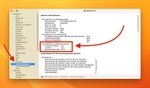
Before replacing, check the charge cycles: over 1,000 cycles or "Service" status are clear signals. Our guide how to check MacBook charge cycles and battery health shows where to find both in macOS.
Why Apple often replaces more than the battery
On modern MacBooks the battery is glued into the case. If you have the battery replaced at Apple or many repair shops, the entire top case gets swapped – along with a keyboard and trackpad that still work perfectly. That drives the price up.
We extract the glued battery individually from the chassis and replace only the cell. Your original keyboard, trackpad and lettering stay in place, and the price drops accordingly. We use high-cobalt cells made to our spec, which hold up better than the third-party batteries typically used elsewhere.
MacBook battery replacement cost
- MacBook Air battery replacement (all models): €180
- MacBook Pro battery replacement (all models): €220
All prices include installation, functional test, and a 12-month warranty. The diagnosis beforehand is free – and we read not just the charge cycles but also SMC data, charge currents and voltage curves. That tells us whether the battery is really the problem or whether, say, the charging circuitry is failing.
How long does the replacement take?
In Hamburg usually same day or next day. By free DHL shipping it's 3-6 working days round-trip. Your data stays untouched during a battery replacement.
Can you replace a MacBook battery yourself?
On old models with a screwed-in battery: yes, with some skill. On all newer MacBooks we advise against it. The cells are glued in across a large area, and a damaged lithium cell can ignite while being pried out. On top of that, the battery calibration has to be right after the swap, or macOS shows wrong charge levels. The premium for professional installation is modest – and you get a 12-month warranty instead of a DIY risk.
Why does my MacBook shut down even though the battery isn't empty?
That is a typical sign of a worn battery cell: the displayed charge no longer matches the real capacity, and the machine cuts out under load. Check cycle count and condition in System Settings; once capacity is below 80%, a battery replacement fixes it (fixed price €180 Air / €220 Pro).
Three battery replacements from recent weeks
MacBook Pro 16" (2019, Intel i9), dropped off from Hamburg-Eppendorf, €220: Wouldn't even power on with its original 96W charger. Battery completely dead, replaced the same day, picked up in the evening.
MacBook Air 15" (2023, M2), dropped off in Hamburg, €180: Shut down the moment the charger was unplugged. Battery extracted individually from the glued chassis and replaced, ready the next day.
MacBook Air (M1), shipped from Munich, €180: The machine felt noticeably slow. That's also a symptom of a weak battery, not necessarily the SSD or RAM. Diagnosis and replacement within two working days, free return shipping.
How to get your new battery
Ship the MacBook with our mail-in label for the battery swap or drop it off in person in Hamburg-Altona. You'll find all details and the fixed prices in our MacBook battery replacement overview.