MacBook Data Recovery: What Can Still Be Saved – and What It Costs
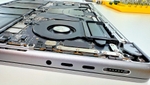
Your MacBook won't turn on and your data is still inside? This guide explains the data recovery options for Macs, why the classic drive-removal approach no longer works on modern models, and what costs you can realistically expect.
What data recovery costs – and all other prices: MacBook Repair Cost 2026.
First: power the device off
Switch the device off and disconnect it from the charger. Every further power-on attempt can make the damage worse, especially after liquid damage: fluid inside the board keeps corroding, and a short circuit can destroy the very components needed for data recovery.
Why "just remove the drive" no longer works on modern Macs
On older Macs data recovery was simple: remove the hard drive or SSD, connect it to an adapter, copy the data. On all MacBooks with Apple Silicon (M1 through M5) and on most Intel models from 2016 (including all T2 models), that path is gone.
The flash storage is soldered directly onto the logic board and encrypted in hardware – via the Secure Enclave in the SoC on Apple Silicon, via the T2 chip on Intel Macs. Desoldering the NAND chips achieves nothing: without the matching chip on the original board, the contents cannot be decrypted. That's not a question of tooling – it's Apple's security architecture.
The only way to the data: repair the logic board until the system boots again. Data recovery on modern Macs therefore always means component-level logic board repair. The side effect is a pleasant one: you often get back not just your data but a working machine.
Which Macs still allow direct SSD removal
On MacBooks up to around 2017 (MacBook Pro Retina through 2015, MacBook Air through 2017) and on many iMacs, the SSD or hard drive is still socketed. There we remove the storage and read it directly on an adapter – the fastest and cheapest case. Old iMacs with spinning hard drives (the classic flashing question mark at startup) often fall into this category too.
Typical starting situations
- MacBook won't start: frequently a failed chip in the power circuitry on the logic board. Repair the board, the system boots, the data gets backed up.
- Liquid damage: coffee, water, wine – the liquid keeps corroding inside the board. Thorough cleaning first, then component-level repair.
- Drop damage: mechanical damage to the board or connectors, also repairable at component level.
- Mac runs but macOS won't boot: here copying the data over a second Mac is often enough – in target disk mode on Intel Macs, with "Share Disk" in macOS Recovery on Apple Silicon.
MacBook data recovery cost
- from €150: SSD extraction on Macs with socketed SSD (models through 2017)
- €200–400: simple board repairs
- €400–600: medium complexity
- €600–800: severe damage
All prices in euros incl. VAT; analysis and shipping are free.
You only pay if the data recovery succeeds. No success, no charge – not even for the diagnosis. We transfer the recovered data onto an external SSD that you either ship along or get from us. Free shipping within Germany; data recovery usually takes 5–7 working days in the workshop, DHL 1–2 working days each way.
Three cases from the past months
MacBook Air 13" (2017, Intel) – new SSD including installation and data transfer (dropped off in person from Rotherbaum), €360: The MacBook Air still ran; the customer wanted a 1 TB SSD instead of the existing 256 GB. We installed the new SSD and transferred the data.
MacBook Pro 16" (2023) – logic board repair, the data stayed inside (shipped from Celle), €380: The MacBook Pro would no longer turn on: a capacitor on the logic board had broken down and shorted several power rails, damaging further small components in the process. We repaired the board – the SSD with all its data stayed where it was.
MacBook Pro 14" (2023) – data recovery (dropped off in person from Farmsen-Berne), €240: Before the drop-off, a burnt trackpad connector had already been noticed on opening the machine, and the MacBook Pro would no longer turn on – no backup, but the data was needed. We removed a short circuit on the logic board, after which the Mac turned on again – keyboard and trackpad no longer worked, but the data could be recovered.
All prices in euros incl. VAT.
When even we can't help
If the SoC or the NAND chips themselves are physically destroyed, board repair can't bring the data back either – that's rare, but it happens. And FileVault-encrypted data can only be decrypted with your password or recovery key (or iCloud unlock, if set up); that stays true in our workshop too. Which leads to the most important advice in this article: set up Time Machine – an external drive is all it takes. The best data recovery is the one you never need.
How Mac data recovery works with us
You ship the device with our free DHL label or drop it off in person in Hamburg-Altona. We analyze it free of charge and get back to you with a firm assessment before anything is repaired. Your data is treated confidentially, and we delete our workshop copies after handover. Every repair comes with a 12-month warranty on work and parts. You'll find the full overview on our MacBook & iMac data recovery page.
How mail-in data recovery works: In the mail-in form on emonis, choose "Data recovery" and briefly describe what happened – the free, insured DHL label (DHL liability up to €500 per parcel) arrives by e-mail right away. Pack the powered-off MacBook, ideally in its original box, inside a second, sturdy box, well padded, and add an external SSD for the recovered data; otherwise the workshop adds one. Usually within 2–3 working days of arrival you receive a cost estimate with a fixed price; nothing is repaired before your approval. The recovered files return on the external SSD together with the device via DHL, and you can follow the status at any time at emonis.com/me. The full process with timelines and shipping terms: How mail-in repair works.
Frequently Asked Questions
Can I mail in my MacBook for data recovery?
Yes. Through the mail-in platform emonis you create a free, insured DHL label (DHL liability up to €500 per parcel) and send the device in from anywhere in Germany. The analysis is free, and you only pay if the data recovery succeeds.
How do I get my recovered data back?
On an external SSD: either you include one in the parcel or you get one from us. With a mail-in, the recovered files return on it together with the device via DHL. Your data is treated confidentially, and we delete our workshop copies after handover.