MacBook Data Recovery: What Can Still Be Saved – and What It Costs
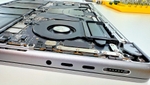
Your MacBook won't turn on and your data is still inside? This guide explains the data recovery options for Macs, why the classic drive-removal approach no longer works on modern models, and what costs you can realistically expect.
What data recovery costs – and all other prices: MacBook Repair Cost 2026.
First: power the device off
Switch the device off and disconnect it from the charger. Every further power-on attempt can make the damage worse, especially after liquid damage: fluid inside the board keeps corroding, and a short circuit can destroy the very components needed for data recovery.
Why "just remove the drive" no longer works on modern Macs
On older Macs data recovery was simple: remove the hard drive or SSD, connect it to an adapter, copy the data. On all MacBooks with Apple Silicon (M1 through M5) and on Intel models with the T2 chip, that path is gone.
The flash storage is soldered directly onto the logicboard and encrypted in hardware – via the Secure Enclave in the SoC on Apple Silicon, via the T2 chip on Intel Macs. Desoldering the NAND chips achieves nothing: without the matching chip on the original board, the contents cannot be decrypted. That's not a question of tooling – it's Apple's security architecture.
The only way to the data: repair the logicboard until the system boots again. Data recovery on modern Macs therefore always means component-level logicboard repair. The side effect is a pleasant one: you often get back not just your data but a working machine.
Which Macs still allow direct SSD removal
On MacBooks up to around 2017 (MacBook Pro Retina through 2015, MacBook Air through 2017) and on many iMacs, the SSD or hard drive is still socketed. There we remove the storage and read it directly on an adapter – the fastest and cheapest case. Old iMacs with spinning hard drives (the classic flashing question mark at startup) often fall into this category too.
Typical starting situations
- MacBook won't start: frequently a failed chip in the power circuitry on the logicboard. Repair the board, the system boots, the data gets backed up.
- Liquid damage: coffee, water, wine – the liquid keeps corroding inside the board. Thorough cleaning first, then component-level repair.
- Drop damage: mechanical damage to the board or connectors, also repairable at component level.
- Mac runs but macOS won't boot: here reading the drive in target disk mode or via the recovery system is often enough.
MacBook data recovery cost
- from €150: SSD extraction on Macs with socketed SSD (models through 2017)
- €200-400: simple board repairs
- €400-600: medium complexity
- €600-800: severe damage
You only pay if the data recovery succeeds. No success, no charge – not even for the diagnosis. We transfer the recovered data onto an external SSD that you either ship along or get from us. Free shipping within Germany, 3-5 working days.
Three real cases from the workshop
MacBook Pro 14" (M2 Pro), shipped from Hanover, €360: A failed power-management chip on the logicboard; without board repair the data would have been lost. Chip replaced, the board ran again, data backed up right in the workshop. The customer has been using the machine normally ever since.
MacBook Pro 16" 2019 (Intel, T2), shipped from Oldenburg, €200: Dead from one day to the next – no image, no boot, no liquid damage. On T2 Macs the SSD is bound to the board, so board repair was the only route: a short on the main power rail, a failed charging IC, replaced. The board ran stably enough for target disk mode, all data secured.
MacBook Pro Retina 13" Mid 2014, dropped off in Altona, €160: The machine no longer started and the customer needed ten years of family photos. On Retina Macs through 2015 the SSD can still be removed individually. SSD extracted, read out on an adapter, everything transferred to an external drive. The machine itself wasn't worth repairing – the data was.
When even we can't help
If the SoC or the NAND chips themselves are physically destroyed, board repair can't bring the data back either – that's rare, but it happens. And FileVault-encrypted data can only be decrypted with your password; that stays true in our workshop too. Which leads to the most important advice in this article: set up Time Machine – an external drive is all it takes. The best data recovery is the one you never need.
How Mac data recovery works with us
You ship the device with our free DHL label or drop it off in person in Hamburg-Altona. We analyse it free of charge and get back to you with a firm assessment before anything is repaired. Your data is treated confidentially, and we delete our workshop copies after handover. You'll find the full overview on our MacBook & iMac data recovery page.