MacBook Got Wet? What to Do Now – and What Not to Do
The short answer: hold the power button for 10 seconds until the display goes black. Unplug the charger and every cable. Open the MacBook and stand it keyboard-down on a towel like a tent. Do not switch it back on, do not charge it, no rice, no hairdryer. Then get it cleaned the same day – in Hamburg straight to the workshop, otherwise mail it in with the free DHL label. Drying alone does not save the device: whatever the liquid leaves on the logic board keeps corroding. In the workshop it was usually a cleaning, often with a repair of the logic board or keyboard on top – the earlier the device arrives, the more often a cleaning is all it needs.
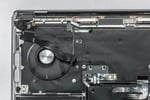
Coffee across the keyboard, a water bottle leaking in your backpack, a knocked-over glass? The first minutes decide how mild or severe the liquid damage turns out – it is not the liquid itself that does the big damage, but the corrosion that starts afterwards. This guide walks you through what to do right now, what matters in the first 24 hours, which popular tips do more harm than good, and how the repair works afterwards.
All prices at a glance: MacBook Repair Cost 2026. How long a repair takes: How long does a MacBook repair take?
The Five Immediate Steps
- Switch off immediately: hold the power button for 10 seconds until the display goes black – do not shut down through the Apple menu; that takes too long. On models with Touch ID, the power button is the sensor at the top right of the keyboard.
- Disconnect power: unplug the charger and remove every cable, adapter and connected device.
- Dry the outside and stand it up like a tent: wipe the surface with a cloth, then open the MacBook and stand it keyboard-down on a towel so liquid can run out of the keyboard. Let it drain for at least 30 minutes, do not shake it.
- Do not switch it back on, do not charge it: no "quick test", no charging, no rice, no hairdryer. Every attempt to power it on can short-circuit the logic board.
- Get it cleaned the same day: liquid damage is a race against time. In Hamburg, bring the device straight to the workshop; otherwise request a free DHL label at emonis.com/en/sadaghian/mail-in and hand the parcel in today.
The First 24 Hours: What Matters When
| When | What matters now |
|---|---|
| Minute 0–1 | Switch off and disconnect power. As long as there is voltage, the liquid can cause short circuits – that is the damage that cannot be undone. |
| Minute 1–30 | Dry the outside, tent position, let it drain. There is nothing more you can do at home, and nothing more you should do. |
| The same day | Bring the device to the workshop or request the DHL label and hand the parcel in. Once posted, a parcel reaches us in 1–2 working days. |
| After 24–48 hours | Corrosion now starts to become visible, especially with coffee, cola or juice: sugar residue draws moisture and attacks the traces. From here on the repair gets more involved. |
| 2–3 working days in the workshop | Cleaning, drying and fault-finding on the logic board, then the cost estimate. The analysis is free. |
| After your approval | The repair itself usually takes one working day. In total, liquid damage typically means 3–5 working days in the workshop. |
What You Should Never Do
Some of the best-known tips cause additional damage in a liquid spill:
- Do not put it in rice. Rice does not pull liquid out of the inside of the device – corrosion on the logic board continues unchecked while valuable time passes. Starch dust can also get into the housing.
- Do not use a hairdryer or put it on a radiator. Warm air drives the liquid deeper into the device and spreads it onto components that were still dry.
- Do not "quickly test if it still works". Every attempt to switch it on can cause short circuits and turn a small problem into a big one. The same goes for charging.
- Do not wait just because it still runs. A MacBook can work normally for days after the accident while corrosion keeps eating away inside. Even a seemingly working device needs cleaning after liquid contact.
- Do not open it yourself to disconnect the battery. On current MacBooks the battery is glued in and connected to the logic board through the top case – it cannot be disconnected safely at home.
Why the First Hours Matter
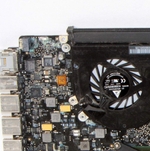
The real problem is rarely the liquid itself, but the corrosion it triggers. As long as residual moisture sits on the logic board, it attacks traces and components – and since the battery in a MacBook is built in, parts of the electronics remain powered even when the device is switched off. Sugary liquids like coffee or cola are more aggressive than clear water; salt water is the worst case.
That is why drying alone does not help: whatever residue the liquid leaves behind stays on the board and keeps working until it is removed. The earlier the cleaning starts, the smaller the damage – and the cheaper the repair.
Can a MacBook With Liquid Damage Even Be Repaired?
Yes – in most cases. The logic board is cleaned, corroded components are replaced individually, and every function is tested afterwards. The earlier the cleaning starts, the more often a cleaning is all it needs – and the smaller the repair.
That also applies to seemingly hopeless cases: a common scenario is the water bottle that quietly leaked in a backpack. The device has often been wet for hours – corrosion has a head start, but the MacBook can usually still be saved. The type of liquid does not fundamentally change anything either: coffee, cola, juice or wine mean the same repair, just with more cleaning effort because of the sugar residue.
What Happens in the Workshop
Every liquid-damage repair starts with a free analysis. The device is opened, the battery is disconnected, the logic board goes under the microscope. Then it is cleaned – residue and corrosion are removed from the board, the ports and the flex cables – and the board is dried. Only then does the component-level fault-finding begin: which voltage regulators, ports or traces took damage, and what it costs to replace them.
You receive a concrete price and decide whether it is worth it to you – without your approval there is nothing to pay. The cleaning is listed as its own item on the quote; if you decide against the repair, you pay nothing. In the shop you pay at pickup after a successful repair, for mail-in via emonis once the repair is finished – your device ships back once payment is in. After your approval the repair itself usually takes one working day; if further damage shows up after cleaning, a second round of checks with a new estimate follows. Every repair comes with a 12-month warranty on work and parts. Typical total time: 3–5 working days in the workshop, plus 1–2 working days of DHL shipping each way for mail-in.
What Does a Liquid Damage Repair Cost?
Costs typically fall into these ranges – the concrete price is set after the free analysis:
- from €140: when not much has happened and only a cleaning is needed – quick reaction, no liquid in the display, thorough internal cleaning of top case and logic board
- €200–400: traces of corrosion or sugary residue (coffee, cola) or a small logic-board repair
- €400–700: severe damage, several defective components or extensive micro-soldering work on the logic board
- from €120: replacement of a defective USB-C/Thunderbolt port
All prices in euros incl. VAT; shipping and analysis are free.
In many cases an insurance policy covers the damage – our article "Will my insurance pay for the MacBook water damage?" explains when home contents, liability or device insurance pays.
Can My Data Still Be Saved?
On modern MacBooks the SSD is soldered directly onto the logic board – a total board failure therefore also affects your storage. The good news: data recovery here means logic-board repair, and that succeeds in most cases. With a successful liquid-damage repair, your data is usually saved along with it. More on this in our article on data recovery for T2 and Apple Silicon Macs.
It Still Runs – or It Won't Start: Two Common Situations
The MacBook still runs. That is no sign that all is well. Liquid under the keyboard and on the board keeps working, and the typical late effects only show up after days: individual keys fail, the trackpad stops responding, the device will not charge or suddenly shuts off. Switching it off and having it cleaned is the right move here too.
The MacBook won't start. Usually a short circuit on the logic board is the cause – often in the power supply or at the ports, less often in the keyboard or the display. Further attempts to start it make the damage worse. For the repair this is not a hopeless case: exactly these faults are fixed at component level, and the data is usually preserved.
Where to Take the Wet MacBook?
In Hamburg: bring the device straight to our workshop in Altona, no appointment needed – the analysis is free, and with liquid damage every hour counts.
Outside Hamburg: use the shipping form on emonis to receive a prepaid DHL label by e-mail right away – shipping both ways is free and insured (DHL liability up to €500 per parcel). Pad the device well and hand the parcel in the same day. All details on the mail-in process and prices: MacBook water damage repair on emonis.
Frequently Asked Questions
What should I do if my MacBook got wet?
Switch it off immediately (hold the power button for 10 seconds until the display goes black), unplug the charger and every cable, open the device and stand it keyboard-down on a towel like a tent, and let it drain for at least 30 minutes. Do not switch it back on, do not charge it, no rice, no hairdryer. Then bring it to the workshop or mail it in with the free DHL label the same day.
How long does a MacBook with water damage need to dry?
At home only until nothing runs out of the keyboard any more – about 30 minutes in the tent position. Waiting longer does not help, because drying removes no residue: whatever the liquid leaves on the logic board keeps corroding until it is cleaned off. In the workshop, cleaning, drying and analysis take 2–3 working days.
Does rice help with a wet MacBook?
No. Rice does not pull liquid out of the inside of the device, corrosion on the logic board continues while time passes, and starch dust can get into the housing. A hairdryer or a radiator does not help either: warm air drives the liquid deeper into the device.
Can a MacBook with water damage be repaired?
In most cases, yes. The logic board is cleaned, corroded components are replaced individually, and every function is tested afterwards. Even devices that were wet for hours can usually still be saved – the earlier the cleaning starts, the smaller the damage.
What should I do if my MacBook won't start after water damage?
No further attempts to start it and no charging – usually there is a short circuit on the logic board, often in the power supply or at the ports, and every attempt makes the damage worse. Exactly these faults are fixed at component level in the repair; the data is usually preserved.
My MacBook still works after the spill – do I still need to do something?
Yes. A MacBook can work normally for days after the accident while residue on the logic board keeps corroding. Typical late effects are failed keys, a dead trackpad, charging problems or sudden shutdowns. Even a running device should be switched off and cleaned after liquid contact.
Is a MacBook waterproof?
No. MacBooks have no IP rating; even small amounts of liquid reach the logic board through the keyboard and the vents. Inside sit liquid contact indicators that permanently show liquid exposure.
What warranty does Apple offer for water damage?
Apple's manufacturer warranty excludes liquid damage – the liquid contact indicators inside the device show the exposure. With AppleCare+, liquid damage is covered as accidental damage for a service fee. Without AppleCare+, a component-level repair at an independent workshop is the usual route.
Will my insurance pay for the MacBook water damage?
Home contents insurance usually does not, because self-inflicted liquid damage is generally excluded. A device or electronics insurance policy covers such damage, and if someone else spilled the drink, their liability insurance may be responsible. Details in our article "Will my insurance pay for the MacBook water damage?".
Can my data still be saved after water damage?
In most cases, yes. On modern MacBooks the SSD is soldered onto the logic board, so data recovery means logic-board repair: the board is restored far enough to boot again. With a successful liquid-damage repair, the data is usually saved along with it.