MacBook Won't Start: Causes and Solutions
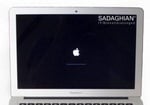
Your MacBook won't turn on? This guide walks you through what you can try yourself, step by step — and when it's time to call in a professional.
Water damage? Stop here!
Has your MacBook been in contact with any liquid? Then do not follow any of the steps below. Turn the device off immediately, dry the outside and get it to a professional as quickly as possible. Every attempt to power on a water-damaged MacBook can cause short circuits and make the damage worse.
Step 1: Charge and wait
The most common reason for a "dead" MacBook is a completely drained battery. Plug in the charger and check:
- MagSafe — the LED on the connector should glow orange or green
- USB-C — check if the power adapter feels slightly warm
Leave your MacBook charging overnight. A deeply discharged battery can take several hours before the device responds at all. Try again the next morning.
Step 2: Force restart
Press and hold the power button (Touch ID button on newer models) for at least 10 seconds. Wait 5 seconds, then press it again. This ends a frozen system state.
Step 3: Remove all accessories
Disconnect everything — USB drives, external displays, hubs, SD cards. Sometimes connected accessories prevent startup. Try with just the charging cable.
Step 4: Reset — depending on your Mac
The next steps depend on which Mac you have:
Older Intel Macs (up to approx. 2020): SMC and PRAM reset
The SMC (System Management Controller) manages your MacBook's power. Resetting it can fix many startup issues:
- Shut down the Mac completely
- Plug in the charger
- Hold Shift + Ctrl + Option (left side) and the power button together for 10 seconds
- Release all keys and turn the Mac on normally
You can also reset NVRAM/PRAM: Turn on the Mac and immediately hold Cmd (⌘) + Option + P + R for about 20 seconds, then let it boot normally.
Newer Macs with T2 chip or Apple Silicon (M1–M4): DFU mode
Apple Silicon Macs don't have an SMC — a forced restart (Step 2) replaces the SMC reset. If that doesn't help and your Mac won't respond at all, the firmware may be corrupted, for example by an interrupted update.
In this case, DFU mode (Device Firmware Update) can help. You'll need:
- A second Mac with Apple Configurator
- A USB-C cable between both devices
In Apple Configurator, choose "Revive" — this rewrites the firmware without deleting your data. Do not choose "Restore", as that erases everything.
If you don't have a second Mac, it's best to bring the device to a repair specialist.
Step 5: Safe Mode
Safe Mode starts your Mac with only the bare essentials — this helps rule out software problems.
Intel Macs
Turn on the Mac and immediately hold the Shift key until the Apple logo appears.
Apple Silicon Macs (M1–M4)
Shut down the Mac. Press and hold the power button until you see "Loading startup options". Select your startup disk, then hold Shift and click "Continue in Safe Mode".
If the Mac starts in Safe Mode, the problem was likely software-related. Restart normally — it often works again after that.
Step 6: Reinstall macOS (without losing data)
Boot into Recovery Mode:
- On Intel Macs, hold Cmd + R while turning on
- On Apple Silicon, hold the power button → Options → Continue
There you can first run First Aid in Disk Utility to check the disk. Then choose "Reinstall macOS". This only replaces system files — your data stays intact.
Mac shows a question mark folder at startup

If a flashing folder with a question mark appears instead of the Apple logo when you turn on your Mac, it can't find its startup volume. The causes range from software to hardware problems:
Software causes
- Wrong startup volume selected — hold the Option key (⌥) when turning on to open Startup Manager and select the correct drive
- Corrupted file system — boot into Recovery Mode and run "First Aid" in Disk Utility
- NVRAM error — reset by holding Cmd + Option + P + R when turning on for 20 seconds
- Defective macOS installation — reinstall macOS in Recovery Mode (see Step 6)
Hardware causes
- If the drive doesn't show up in Disk Utility at all, the SSD or hard drive is physically damaged
- The MacBook Pro 13" 2012 (A1278) has a known issue with the HDD cable (part 821-1480-A) — often misdiagnosed as a logic board defect
- A storage controller failure on the logic board can prevent access to the SSD
If software solutions don't help and the drive isn't recognised, it's a hardware defect. Request free diagnosis →
"A critical software update is required" — what to do

Important: Do not keep turning the Mac off and on. Each failed startup attempt can further damage firmware data.
This message appears when a firmware or macOS update couldn't be completed — for example due to an interrupted update, corrupted T2/Apple Silicon firmware, or hardware problems like corrosion on the logic board.
Possible workaround: Safe Mode
- Start the MacBook and hold the Shift key (Safe Mode)
- Log into your Apple account
- Install a major macOS update (e.g. from Catalina to Big Sur, or the latest version)
After this, the message may disappear and the Mac boots normally again.
Note: In most cases, the error is caused by a hardware defect on the logic board, not by software. Apple replaces the entire board — we repair only the defective component, which is significantly cheaper. More about logic board repair →
Screen black, but Mac seems to be running?
If you can hear the fan or the keyboard backlight turns on, but the screen stays black:
- Press F2 or fn+F2 several times to check brightness
- Connect an external monitor — if it shows an image, the internal display or cable is faulty
- Try the flashlight test: shine a light at an angle on the screen. If you can faintly see outlines, only the backlight is broken
Display problems usually point to a hardware defect. More about display repair →
Nothing worked?
If none of these steps helped, there's likely a hardware defect — on the logic board, power supply, or other components.
We offer a free diagnosis — even if you decide against repair. You'll know exactly what's broken and what it would cost.
Our services for non-starting MacBooks
- Logic board repair — When the fault is on the mainboard
- Data recovery — Rescue your data, even when nothing works
- Water damage repair — Act fast with liquid damage
- Display repair — When only the screen stays black
- Battery replacement — For power supply issues
Frequently asked questions
What does it cost to repair a MacBook that won't start?
It depends on the cause. Software issues can often be fixed for €50–150. Hardware defects range from €150 to €600. We always offer a free diagnosis with a transparent quote — no risk for you.
Can my data still be recovered?
In most cases, yes. Even if the MacBook won't start, the data on the SSD is usually still intact. We can recover it in about 90% of cases.
My Mac shows a folder with a question mark. What does that mean?
A flashing question mark folder means no bootable system was found. Boot into Recovery Mode (Cmd+R on Intel, hold power button on Apple Silicon) and check the disk with Disk Utility. A macOS reinstall usually fixes this. On older MacBook Pro models (especially the A1278 from 2012), a faulty HDD cable (part 821-1480-A) can also be the cause.
Can water damage cause a MacBook not to start?
Yes — it's one of the most common causes. Turn the device off immediately and do not try to power it on again. The faster you get professional cleaning, the better the chances. Learn more →
Can I send my MacBook by post?
Yes. We offer Germany-wide shipping with DHL. After the free diagnosis, you'll receive a quote. If you approve, we repair and ship it back insured. Shipping service details →
Is there a warranty on repairs?
Yes, all our repairs come with a 12-month warranty.
Is the MacBook Pro 13" 2012 A1278 particularly prone to startup problems?
Yes. This model has a known issue with the HDD cable (part number 821-1480-A), which frequently fails and causes startup problems — often misdiagnosed as a logic board defect. Replacing the cable is significantly cheaper than a logic board repair.
Mac shows "A critical software update is required" — what should I do?
Don't keep turning the Mac off and on. Try booting into Safe Mode (hold Shift key at startup) and install a macOS update. If that doesn't help, it's usually a hardware defect on the logic board that requires professional repair.