MacBook Repair Hamburg – The Mac Saviours in Altona
MacBook won't turn on, broken display, water damage, data gone. At our workshop in Hamburg-Altona we repair Macs at component level. Only the defective part gets replaced, not the whole logic board. That's cheaper and your data stays intact. Diagnosis costs nothing, shipping both ways doesn't either. 12-month warranty on every repair.
Drop off in person (no appointment): Leverkusenstr. 3, Hamburg‑Altona · Mon–Fri 10 AM–7 PM
Not in Hamburg? Germany-wide mail-in service via emonis.com – free shipping both ways.

What we repair
Click any area for prices, process, and a few jobs from the past few weeks.
MacBook Screen Repair & Replacement
Stripes, bars, color shifts, glass breakage, or just no image at all? We repair where we can. If the panel can't be saved, we replace only the LCD panel. from €180
Where possible we repair the display instead of swapping it: your original assembly stays in, only the broken part gets replaced. Diagnosis is free; you pay nothing until the display works.
Common MacBook screen problems
- Flexgate (MacBook Pro, mainly 2016/2017): broken display flex cable, "stage light" effect, stripes depending on opening angle. Apple's program has expired; we repair the cable.
- Staingate: anti-reflective coating peeling off, milky patches. We carefully remove the layer.
- Glass breakage: cracks or fractures from drops or pressure. Often leads to black spots.
- Dustgate, pressure damage, backlight failure: rare, but we know these failure modes.
More detail on the blog: MacBook screen flickering or showing stripes – diagnosis and repair.
MacBook screen repair & replacement: cost
In most cases we repair your existing display. Depending on the damage, this costs between €180 and €720. If the panel can't be saved, we replace only the LCD panel – the lid, camera, True Tone sensors, cables and hinges stay original. We do not fit a new complete display assembly (€700–900 at Apple).
Display repair (your panel stays)
- Staingate (coating removal): €180
- Backlight: from €220
- Flexgate 13" (2016/2017): €240 · Flexgate 15"/16": €340
Panel replacement (when necessary – the display assembly stays original)
- 13" Air (up to M4) and Pro: €420 · 15" Air (up to M4) and Pro: €480
- 14": €740 · 16": €740 · 16" Intel (2019): €580 · Air 13" A1466 (up to 2017): €180
All prices include free diagnosis, installation, functional test (brightness, True Tone, camera) and 12-month warranty. All prices in euros incl. VAT.
Recent display jobs
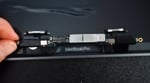
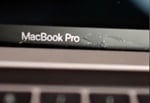
- Panel replaced — at the guide price for 14" models; lid and camera stayed original.
- Panel-only replacement; lid and glass stayed original.
- Display assembly swapped for a used unit (Grade C) — the budget alternative to the €580 panel swap.
- Panel replaced; lid and camera stayed original.
MacBook Logicboard (Motherboard) Repair
MacBook won't start, freezes at the Apple logo, shows a question mark, or shuts off on its own? We work at chip level and replace only what's actually faulty. from €100
Where possible we repair the existing logic board instead of replacing it. A board swap typically costs two or three times as much. And because the SSD on modern Macs is soldered to the board, a swap also wipes your system and data. A component-level repair leaves both in place.
MacBook logic board failure symptoms
- MacBook won't start, stays black, no sound, no response
- Apple logo freezes, question-mark folder or exclamation mark at boot
- Random crashes, fans at full speed with no load
- Battery won't charge, USB-C ports dead
- MacBook overheating: constantly high temperatures, loud fans without load, sudden shutdowns. Often indicates thermal paste replacement or a defective chip on the logic board, not just a software problem.
- Wi-Fi not working: MacBook won't connect, can't see networks, internet drops. On Intel models we replace the Wi-Fi/Bluetooth card, on M-series Macs the Wi-Fi chip on the logic board.
Cost by type of damage
- from €100: simple firmware issues, reinstall
- €100–200: capacitors, small ICs, simple troubleshooting
- €200–400: power management, charging circuits, SMC chip
- €400–600: CPU/GPU replacement, NAND replacement
All prices in euros incl. VAT.
We work on all generations, from Intel (up to 2020) to Apple Silicon. This includes fixing knock-on damage from power surges, bad chargers, and swollen batteries.
Three recent cases
- Repair on the board itself instead of a swap.
- Logic board cleaned — no parts replaced.
- Component-level logic board repair; the board itself stayed in the device.
- Logic board repair plus top case repair — the data stayed intact.
MacBook Water Damage Repair
Coffee, tea, water across the keyboard? Power off immediately, unplug, do not switch back on. We repair MacBook water damage at component level and usually recover your data along with the device. from €140
MacBook water damage is repairable in most cases: we clean the logic board, replace corroded components, and test all functions. The diagnosis is free, and in the shop you pay only at pickup after a successful repair — acting fast matters, the first hours decide.
MacBook water damage: what to do first
- Power off immediately (hold the power button for 10 seconds, on Touch ID models that's the sensor in the top-right corner next to the F-keys)
- Disconnect power, remove all cables and peripherals
- Stand the MacBook upside down in an inverted V (tent position), keyboard facing down, let liquid drain for at least 30 minutes
In detail, with the first 24 hours and the most common mistakes: MacBook water damage – what to do?
MacBook water damage repair: cost and process
The prices below apply to current MacBooks (M1 through M5, model years 2020-2026). Pricing for older Intel models works a bit differently — more on that below. Coffee, cola, juice, wine: the same repair, just more cleaning because of the sugar residue. A common scenario: a water bottle leaks in your backpack and the MacBook sits wet for hours before anyone notices. Corrosion gets a head start, but it's almost always still recoverable.
Diagnosis is free and ends with a concrete price. You then decide whether it's worth it to you.
- from €140: when not much has happened and only a cleaning is needed – fast reaction, no water in the display, thorough interior cleaning of top case and logic board (usually under €200)
- €200–400: corrosion traces or sugary residue (coffee, cola), replacement of failed USB-C / Thunderbolt ports, or small logic-board repair
- €400–700: severe damage, multiple failed components or extensive micro-soldering on the logic board
All prices in euros incl. VAT.
Three design details of current MacBooks matter for water damage:
- SSD soldered directly to the logic board. If the board is fully damaged, the storage is too. Data recovery on current MacBooks therefore means: repair the logic board far enough to make the system boot. More on that under Data Recovery.
- Battery is glued to the logic board, not user-disconnectable. On current MacBooks the battery is bonded into the top case and connected directly to the logic board. You can't disconnect it at home. As long as voltage sits on the board, corrosion keeps eating at wet spots even after shutdown. That's exactly why you shouldn't switch it back on. Get it to us fast. Disconnecting the battery is the first step of our repair.
- Keyboard and trackpad as a single top-case unit. We often replace just the failing component on its own, not the expensive full top-case swap.
Water damage on older MacBooks (Intel, pre-2020)
For Intel MacBooks made before 2020, we repair the same kinds of damage, usually at lower prices because more components can be swapped individually. Three notes by model:
- MacBook Pro with Touch Bar (2016-2019): the Butterfly keyboard blocks even with a few drops. With the T2 chip (from 2018), the SSD encryption is bound to the chip, a logic-board repair is then often the only way to recover the data.
- MacBook 12" Retina (2015-2017): very tight internals, liquid reaches the logic board in seconds. With heavy damage, a repair is usually only worthwhile when there's important data at stake.
- MacBook Pro pre-2016: thicker chassis, scissor keyboard, far more repairable.
Three water-damage jobs from the past few weeks
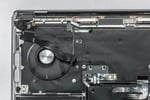
- Water damage repair, plus a display panel replacement.
- Interior cleaning after a liquid spill, keyboard replaced.
- Water damage: logic board repaired, top case cleaned.
Data recovery after MacBook water damage
"My MacBook won't turn on after the water damage, can I still get to my data?" On modern MacBooks (M1 to M5 and Intel models with T2 chip), data recovery equals logic-board repair. The SSD can't be removed and read elsewhere. The storage is hardware-encrypted and only readable together with its original logic board.
We repair the board far enough to make it boot, secure your data, and then restore the device to full working condition. In most cases, you don't just get your data back, you get a working Mac back too.
More details and success rates under Mac Data Recovery.
Why rice, hairdryer and heaters don't help
The rice trick dates from the flip-phone era. On modern MacBooks it does nothing useful and tends to cause new harm: rice dust gums up the keyboard, can't reach moisture under the BGA chips, and during the 24-48 hours it supposedly "dries", corrosion spreads unchecked.
Hairdryers and heaters are actively dangerous. Hot air doesn't dry the inside. It just relocates the problem and creates new damage along the way. Key mechanisms warp, keycaps melt or stick, the adhesive holding the display, Touch ID and Touch Bar softens and components shift, and lithium batteries are heat-sensitive. At the same time, the airflow drives moisture deeper under the chips instead of out. You end up with two problems instead of one: water damage plus heat damage. The latter is usually irreversible.
What actually works: device off, get it to us fast.
Who pays for MacBook water damage? Insurance basics
Which insurance pays for a water-damaged MacBook depends on your policy. Three standard cases:
- Home contents insurance (Hausrat): standard policies usually cover named perils only: fire, water from burst pipes, storm, hail, theft. Self-inflicted spill damage (you knocked the coffee over yourself) is usually excluded. Extended policies with an "electronics clause" or "extended natural-perils" rider can step in, check your policy.
- Electronics insurance: specialised policies (Wertgarantie, Hepster, Friendsurance) usually cover MacBook water damage in full, often including data recovery.
- Personal liability insurance (Privathaftpflicht): if someone else got your Mac wet (friend, colleague, cleaner), their personal liability insurance often covers the damage, again worth checking the policy.
On request we provide a detailed quote and damage report for your insurance.
More repairs
Mac Data Recovery: MacBook & iMac
Lost data after a dead logic board, water damage, or a drop? We pull it straight off the board or the SSD, even in difficult cases. from €150
Even if your MacBook no longer starts, your data is usually still there. On modern Macs (T2, M1–M5) the SSD is soldered to the logic board — we repair the board until the system boots again, and recover your data that way. Free diagnosis at our workshop in Hamburg-Altona, mail-in from anywhere in Germany.
First: power off and don't plug the charger back in. Every further boot attempt risks making the damage worse. On modern Macs (M1 through M5 and Intel with T2 chip), the SSD is hardware-bound to the logic board, so data recovery here means repairing the board far enough for the system to boot. Often you get not just the data back but a working device too.
Data recovery on M1-M5 (Apple Silicon)
On Apple Silicon (M1 through M5) the flash storage is soldered to the logic board and hardware-encrypted via the Secure Enclave inside the SoC. Removing the NAND chips achieves nothing: without the matching SoC, the contents can't be decrypted. The only path: repair the board far enough that the system boots again. Applies to every Pro and Air model across the entire M-series.
Data recovery on T2 MacBooks
On T2 MacBooks the storage is hardware-encrypted and tied to the board as well. Same path: logic-board repair first.
Water-damage data recovery
Coffee, water, wine: any liquid that reached the board keeps corrosion going from the inside. We clean thoroughly and repair at component level, including severe cases.
MacBook data recovery cost
- from €150: SSD extraction on Macs with socketed SSD (models through 2017)
- €200–400: simple board repairs
- €400–600: medium complexity
- €600–800: severe damage
All prices in euros incl. VAT.
You only pay when the data recovery succeeds. No success means no cost, not even for the diagnosis. Free shipping Germany-wide, 3-5 working days. We copy the recovered data onto an external SSD that you ship in with the device, or one you buy from us.
Why us
Data recovery on modern Macs is logic-board repair at chip level, and that's exactly what we've done every day since 2015. We treat your data as confidential and delete our workshop copies after handover. More detail on the blog: MacBook data recovery – options and cost.
Three recent recoveries
- Data recovery on one of the newest Apple Silicon models; the rescued data went back complete on an external SSD.
- Failed power-management chip on the logic board; without board repair the data would have been lost. Chip replaced, board booted again, data copied off in the workshop. The customer kept using the Mac afterwards.
- One day no image, no boot, no water damage, just dead. On T2 Macs the SSD is hardware-bound to the board, so board repair was the only path: we traced a short on the main power rail PPBus_G3H, replaced the failed charging IC. Board ran stable enough for Target Disk Mode, all data copied.
MacBook Battery Replacement
macOS suggests a battery swap, the MacBook only runs on mains, or the case is bulging? Swollen batteries push the keyboard and trackpad up from below and can become dangerous. It's best to replace them sooner rather than later. from €180
On modern MacBooks the battery is glued in, so the usual fix is to replace the entire top case along with the keyboard and trackpad. We extract the battery individually from the chassis and replace only the cell. Your original keyboard, trackpad and lettering stay in place, and the price drops accordingly. We use high-cobalt cells made to our spec. 12-month warranty on the work and the battery.
Signs of a failing MacBook battery
- Swollen battery, case bulges, trackpad is hard to press or sticks
- Runtime under 2 hours (versus 6-8 originally)
- Battery no longer reaches 100% or the level drops fast
- MacBook shuts down without warning, even when charge is shown
- macOS battery condition shows "Service Recommended"
- The device feels noticeably slow: when the battery is weak, macOS throttles the CPU
If the battery is swollen: power off immediately, disconnect power adapter, do not charge. A swollen battery can become dangerous, please come to us or another shop without delay.
Check your MacBook battery health yourself
Before having it replaced: check the battery capacity. Under current macOS: Apple menu → About This Mac → More Info…, then at the bottom System Report… → Power. There you'll see the cycle count and battery condition ("Normal" or "Service Recommended"). Over 1,000 cycles or the status "Service Recommended" are clear signals it's time for a replacement.
We check all of this as part of the free diagnosis. We additionally check SMC data, charge currents and voltage curves that macOS doesn't show you. That tells us whether the battery is really the issue, or for example the charging circuitry is failing.
MacBook battery replacement cost (fixed prices)
- MacBook Air battery replacement (all models): €180
- MacBook Pro battery replacement (all models): €220
All prices include installation, functional test, 12-month warranty and VAT. Turnaround: in Hamburg usually same day or next day. By free DHL shipping: 3-6 working days round-trip. More detail on the blog: MacBook battery replacement – cost and process.
Examples from this week
- Wouldn't turn on even with the original 96W adapter; battery completely dead. Replaced the same day, picked up that evening.
- Shut off the moment the adapter was unplugged. Battery extracted from the glued chassis and replaced individually, finished the next day.
- The device felt noticeably slow. That's also a symptom of a weak battery, not necessarily SSD or RAM. Diagnosis and replacement in two working days, free return shipping.
Battery take-back notice: We take back the removed battery free of charge and recycle it properly; you can also hand in or send us other old batteries from Apple devices free of charge. Batteries do not belong in household waste (crossed-out wheelie-bin symbol). Hg, Cd and Pb stand for mercury, cadmium and lead.
MacBook Graphics Card Repair
MacBook GPU failure? Regular crashes, stripes, or kernel panics under load? On Intel Macs we replace the graphics chip at the component level, no need to swap the whole logic board. from €240
This section focuses on Intel MacBook Pros and iMacs with a dedicated graphics chip. For GPU problems the usual fix is to replace the entire logic board. We repair at the chip level: defective graphics chips, cold BGA solder joints, damaged VRAM modules, or voltage regulators. That's cheaper than a full board swap, and your data stays intact.
MacBook turns on but the screen stays black?
A failing graphics chip usually shows clear symptoms. If your MacBook plays the startup chime or the fans spin, but the screen stays black, the GPU is often the culprit. Whether stripes come from the display or the GPU is explained on the blog: MacBook screen flickering – stripes and GPU faults explained. Other signs of a MacBook GPU failure:
- Coloured lines, stripes, or garbled graphics on the display
- Kernel panics and crashes during graphics-heavy apps (video editing, 3D, gaming)
- External monitor receives no signal either
- Fans at full speed with no load (GPU thermal cutoff)
Which MacBooks & Macs we repair
- MacBook Pro 15" & 17" Unibody (2011): The notorious Radeongate defects of the AMD Radeon HD 6490M/6750M/6770M. We replace the chip outright, because simple reballing rarely holds on this generation (the defect sits in the chip-package underfill).
- MacBook Pro 15" Retina (2012-2015): NVIDIA GeForce GT 650M or GT 750M, and AMD Radeon R9 M370X. Typical issues: overheating, cold solder joints.
- MacBook Pro 15"/16" (2016-2019): AMD Radeon Pro 450/455/460, 555/555X/560/560X, Vega 16/20, and 5300M/5500M/5600M. Chip replacement via BGA rework possible.
- iMac graphics repair (through 2011): Replacement of the plug-in MXM graphics card (e.g. AMD Radeon HD 6970M) or chip-level repair on the MXM card itself.
Prices & process
MacBook GPU repair from €240. Diagnosis and shipping are free. You get a 12-month warranty on the repair. If the board is damaged beyond chip-level repair (torn pads, blown VRMs), we switch to a logic-board repair, or, if the machine itself isn't worth fixing, a data recovery.
All prices in euros incl. VAT.
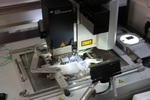
Our BGA rework station
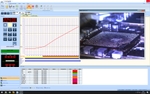
We replace defective graphics chips with an Ersa HR 600 rework station: camera alignment, controlled hot air, precise temperature curves. The new flip-chip BGA lands on the board with sub-millimeter precision.
Three GPU repairs from the past few weeks
- Radeongate (AMD HD 6750M): stripes on the display, freezes under load, restart loops. Apple's repair program expired years ago, and reballing alone rarely holds on this generation because the defect sits in the chip-package underfill, not the BGA joints. So we pulled the AMD chip and installed a revised replacement. Stable ever since.
- MXM graphics card: the 2011 iMacs have the GPU on a socketed MXM card (AMD Radeon HD 6970M), the same AMD generation as the Pros of the same year. Bluish tint and picture dropout once the GPU warmed up. Graphics chip on the MXM card replaced. The Apple Service Diagnostic (ASD) VRAM stress test passed without errors afterward.
MacBook Keyboard, Trackpad & Top Case Repair
MacBook keyboard stuck, trackpad unresponsive, speakers crackling, or keyboard backlight gone? We swap the individual defective part instead of replacing the entire top case together with battery and logic-board mounts. from €120
On a MacBook the top case houses the keyboard, trackpad, speakers, and battery all riveted into a single aluminum unit. The usual fix when one part fails is to replace the whole top case, often €500 to €800. We pry the individual defective component out and replace it on its own. That's cheaper, more sustainable, and your original housing stays in place.
MacBook keyboard stuck, trackpad broken, or speakers silent?
- Sticky, dead, or unresponsive keys (Butterfly or Magic Keyboard)
- Trackpad stiff, stuck, won't click, or registers clicks in the wrong spot
- Speakers crackling, distorting at higher volume, or silent
- Swollen battery pushing the trackpad and keyboard up from below (safety-critical, see Battery Replacement)
- Keyboard backlight flickering or completely out
- Liquid damage from coffee, water, wine, or other drinks (see Water Damage Repair)
MacBook keyboard replacement, trackpad & speakers: cost
- Keyboard swap: from €180 (individual keys or full keyboard assembly)
- Trackpad swap: from €160 (incl. Force Touch & Taptic Engine alignment)
- Speaker swap: from €120 (incl. the heavily-glued speakers on Apple Silicon Macs)
- Full top case swap: from €120 (refurbished top case, worthwhile on very old Macs or with external case damage)
All prices in euros incl. VAT.
Diagnosis and shipping are free. Every repair carries a 12-month warranty – on the work and the installed parts.
Why not just swap the whole top case?
The full top case contains keyboard, trackpad, battery, and speakers riveted into one aluminum frame. The whole unit usually gets swapped for time reasons, even when only one key is broken. At our bench your Mac goes under the microscope: keyboard rivets are removed, glued parts carefully separated, new components installed, and the keyboard secured with specialized micro-screws in the original holes. More effort on our side, noticeably cheaper for you.
Three recent cases
- Trackpad and trackpad cable replaced individually, top case cleaned — battery and housing stayed original.
- Keyboard unit replaced, logic board cleaned.
- Complete top case replaced, logic board cleaned.
MacBook Upgrade
MacBook slow or out of storage? On older Intel models (up to 2015) we install bigger SSDs and more RAM. Usually under €300, and the machine feels new again. from €80
We upgrade older Intel MacBooks (up to end-2015) with modern SSDs and additional RAM. Programs launch up to 10× faster, runtime rises, and the device runs silently.
MacBook SSD & RAM upgrade: prices
- SSD upgrade: from €180 (up to 2 TB install, data migration, macOS update)
- RAM upgrade: from €220 (up to 16 GB)
- Full upgrade: from €320 (SSD + RAM + macOS Sequoia via OpenCore)
- SSD install with customer-supplied drive: from €80
All prices in euros incl. VAT.
What's possible, what isn't
- Upgrade possible: MacBook Pro 2008-2012 (SSD and RAM; 16 GB from the 2011 models on, 8 GB before that), MacBook Pro Retina 2012-2015 (SSD only), MacBook Air 2010-2015 (SSD only)
- Limited: MacBook Pro 2016+ has soldered components
- No upgrade: M1/M2/M3/M4/M5 MacBooks, only battery replacement and system reinstall
iMac Repair
Display, graphics, logic board, or PSU problems on an iMac? We repair every iMac from G3 through M4 at component level, including Vintage models. from €180
Whether graphics errors, display damage, logic-board defect, or PSU/fan/SSD problems: we repair all iMac models from G3 through M4 and iMac Pro at the component level. Free diagnosis, free return shipping if you decline the quote.
iMac M1, M3 & M4 (Apple Silicon)
We repair current Apple Silicon iMacs: defective SSDs, power supply, display, USB-C, Thunderbolt. All M1/M3/M4 models.
iMac GPU failure & graphics problems
Stripes, black screen, flickering display, loud fans? We replace the defective graphics chip specifically, not the entire logic board. Affected chips: Radeon HD 4670, 4850, 5670, 5750, 6770, 6970, GeForce 650M, and more.
iMac screen replacement: cost
- 21.5" HD: €340 · 21.5" 4K: €440
- 24" M1/M3/M4: €740
- 27" QHD: €420 · 27" 5K: €620
- Vintage iMacs: from €260
All prices in euros incl. VAT.
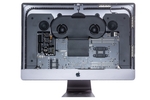
Chip-level logic-board repairs, PSU replacement, fan replacement, port repairs, RAM and SSD upgrades, data recovery, maintenance. EFI/firmware repairs and capacitor replacement are included.
All prices at a glance: MacBook Repair Cost 2026

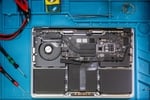
Workshop Hamburg
Leverkusenstr. 3, Hamburg-Altona. Just walk in, no appointment needed:
- Drop off your device
- Wait for the free diagnosis and cost estimate
- Pick up your repaired MacBook with a 12-month warranty
In the shop you pay in cash, by debit card or by credit card.
Mon–Fri 10 AM–7 PM
MacBook repair throughout Germany
Whether Berlin, Munich, Cologne, Frankfurt or a village of 200 people: create a free shipping label, pack your MacBook, send it. After the repair, it comes back insured (DHL liability up to €500 per parcel) and free of charge.
Round-trip shipping free. Diagnosis after arrival: display and battery problems usually within one working day, water damage usually 2 to 3 working days (sometimes less, sometimes more), otherwise usually 1 to 3 working days.
Your MacBook repair workshop in Hamburg-Altona
Since 2015, we've been repairing Macs as a small team in Hamburg-Altona. Workshop, parts warehouse, and office under one roof. Each technician has different strengths: one's great with logic boards, another with displays, the next with data recovery. Because everything's in one place, things move faster.
Our approach: we repair the existing hardware at component level instead of replacing whole assemblies. Where a fault would otherwise mean swapping the entire logic board, we analyse the board under a microscope and use a soldering station to replace just the faulty chip or capacitor. That's usually far cheaper, keeps the device out of e-waste, and leaves your data on the original board.
Whether a display replacement, water damage, or complex data recovery: every repair starts with a free diagnosis, then you decide at your own pace. We give a 12-month warranty on every repair.

Mail-in MacBook repair, Germany-wide
About half the Macs we see aren't from Hamburg. Many come from Schleswig-Holstein and Lower Saxony, and Macs regularly arrive from Munich, Freiburg, and even the North Sea island of Föhr. How it works:
After the diagnosis you get a fixed price. You decide whether it's worth it; if not, the device ships back free of charge.
You only pay when the repair is finished and successful – with Apple Pay, Google Pay, card, Klarna, SEPA direct debit or bank transfer.
Mail-in runs through our shop on emonis: register your device there and follow diagnosis, price and repair online.

Common questions
How long does a MacBook repair take?
Diagnosis after arrival – usually within one working day for display and battery problems, usually 2 to 3 working days for water damage (sometimes less, sometimes more), otherwise usually 1 to 3 working days – then a price and your decision. The repair itself is usually quick, depending on complexity a few days to two weeks. Battery swaps and simple keyboard jobs are often done the next day in Hamburg.
Do you offer a warranty on repairs?
Yes, we give a 12-month warranty on every repair – on the work carried out and the parts installed. Your statutory rights in respect of defects remain unaffected by this warranty.
Can I mail in my MacBook for repair from anywhere in Germany?
Yes, the diagnosis is free. You can send your device with our free shipping label. If you decide against a repair, the return shipping remains free. The full process is explained in our guide to mail-in MacBook repair.
How can I pay?
In the shop you pay in cash, by debit card or by credit card. For mail-in you pay online when the repair is finished and successful – with Apple Pay, Google Pay, card, Klarna, SEPA direct debit or bank transfer.
Will my data be preserved during a MacBook repair?
Yes, in almost all repairs: we repair the existing logic board instead of replacing it, so the SSD stays in place. Full board swaps and total losses are separate cases where data recovery is its own step, which we also handle.
Where is your workshop located?
Our workshop is located in Hamburg-Altona at Leverkusenstr. 3. Opening hours: Mon–Fri 10 AM–7 PM. You can also send your device Germany-wide free of charge.
Should I repair my MacBook or buy a new one?
Rule of thumb: if the repair comes in under a third of the new price and the Mac is younger than six or seven years, repair almost always pays off. With very old machines we'll tell you that too. Diagnosis is free, and we'd rather not sell you a repair that doesn't make sense.
Can I read customer reviews before booking?
Over 460 reviews on Google, avg. 4.95 out of 5. A few of them (originals in German):
- „Riesen Empfehlung! Mein Mac konnte schon zum 2. Mal super zuverlässig, schnell und preislich absolut fair repariert werden." (Esther M.)
- „Toller und schneller Service. Vielen Dank." (MeinHamsterHorst)
- „Superschnell, kompetent und zum fairen Preis!" (Laya-Papaya)
- „Super schnelle und unkomplizierte Hilfe zu einem fairen Preis. Dazu super nettes Team – sehr zu empfehlen." (Finn O.)
- „Mein MacBook Pro hatte einen Wasserschaden. Noch am selben Abend per WhatsApp kontaktiert, eine Woche später wieder abgeholt, läuft seitdem einwandfrei." (Stefan M.)
Source: Google Maps listing SADAGHIAN® e.K., Hamburg. We do not verify the Google reviews ourselves; Google applies its own measures against fake reviews.
Full reviews on Google and ProvenExpert.
Can a MacBook logic board be repaired?
Yes, often. We repair the existing logic board at component level instead of swapping it — usually much cheaper, and because the SSD is soldered to the board, your system and data stay intact. More in the logic board repair section above.
What does a MacBook logic board repair cost?
Logic board repairs cost depending on the damage: simple firmware issues from €100, small components €100–200, power management and SMC €200–400, CPU/GPU or NAND replacement €400–600 (all prices incl. VAT). We often repair individual components instead of swapping the entire board. Learn more in the logic board repair section above.
Which MacBook models do you repair?
We repair all MacBook models: MacBook Air, MacBook Pro (all sizes from 13 to 16 inch), both Intel and Apple Silicon models (M1, M2, M3, M4, M5), as well as older models and vintage Macs.
Can a water-damaged MacBook still be repaired?
Yes, in most cases. Important: turn off immediately, don't charge! Repair costs for water damage on current MacBooks (M1–M5) depend on the extent: a quick response and interior cleaning stay under €200, corrosion or port replacement €200–400, severe damage with micro-soldering €400–700. Free diagnosis; individual cases can run a bit higher or lower. More in the water damage section above.
What does a MacBook battery replacement cost?
MacBook battery replacement: €180 for all MacBook Air models, €220 for all MacBook Pro models. All prices include installation, functional test, 12-month warranty and VAT.
What does a MacBook repair cost?
As a rough guide: battery replacement at a fixed €180 (MacBook Air) / €220 (MacBook Pro), display repair from €180, water damage from €140 – all prices incl. VAT. The free analysis with a cost estimate gives you the exact price – then it's your decision, and if you decide against the repair, you pay nothing. More in the blog: All prices and real numbers from the workshop.
Can an old MacBook be upgraded?
On Intel MacBooks up to late 2015, yes: SSD and RAM are socketed, upgrades from €80. On all Apple Silicon Macs (M1–M5) and many late Intel models RAM and SSD are soldered – no upgrade is possible there; we then advise on repair or replacement.
My MacBook won't turn on anymore – what now?
First rule out battery and charger: plug in the charger, wait a few minutes, then hold the power button for ten seconds. If the machine stays silent, we run a free error analysis in our workshop in Hamburg-Altona – also for customers from Schleswig-Holstein, e.g. Norderstedt, Pinneberg, Bad Segeberg, Kaltenkirchen, Kiel or Flensburg: drop it off or mail it in free of charge via DHL. Diagnosis with a fixed price first, then you decide. The full guide: MacBook won't start – causes and solutions.
Last updated: